HomeMapper Media Kit
Your entire smart home network. One view.
Built by Vault Hunters NM LLC
Download All AssetsAbout HomeMapper
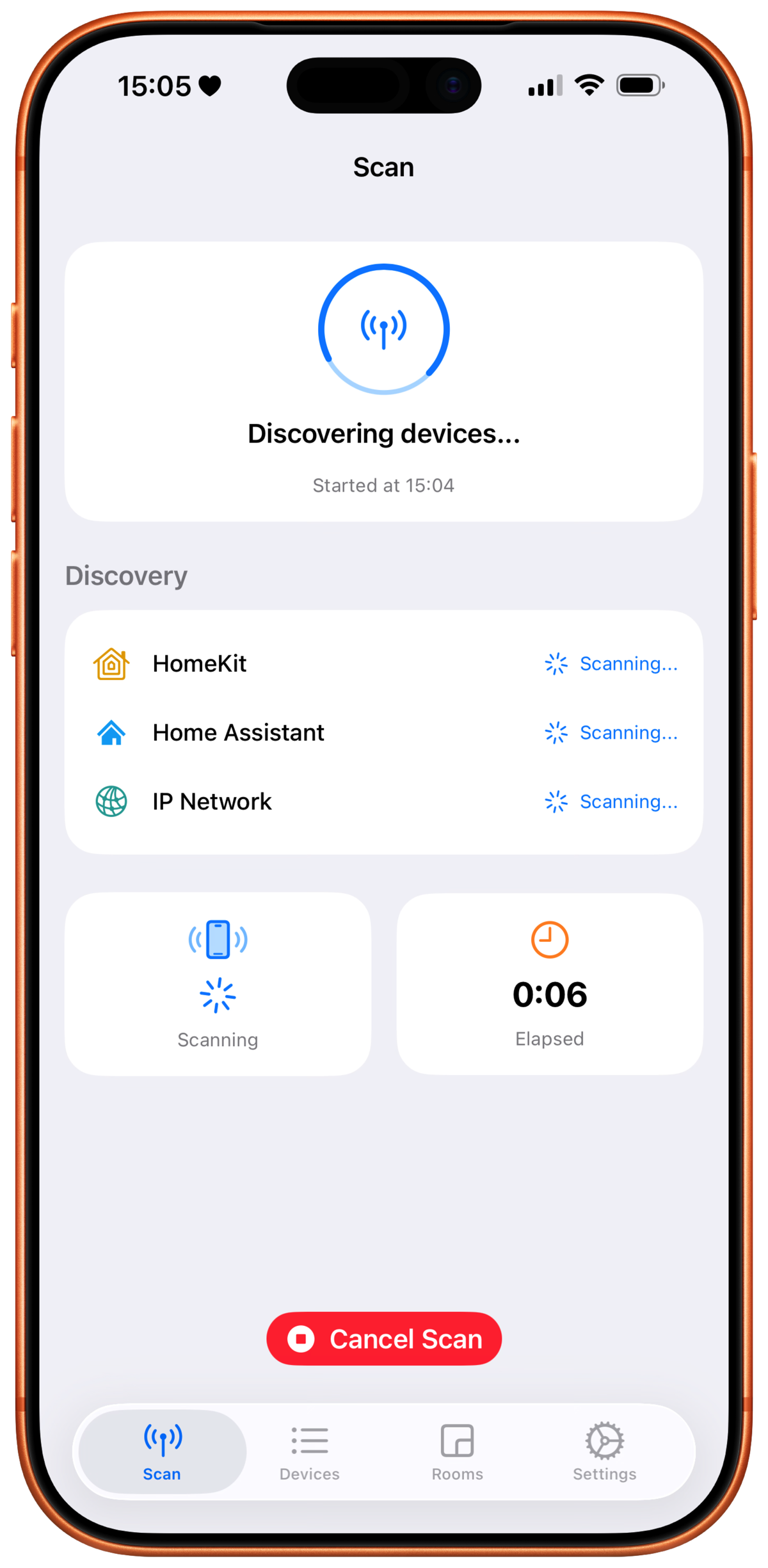
HomeMapper is a smart home network inventory application for iPhone, iPad, and Mac. It scans local networks using multiple discovery protocols including HomeKit, Home Assistant, Thread, Matter, IP protocols (e.g. mDNS/Bonjour, SSDP/UPnP, etc.) and where possible produces a unified, deduplicated device inventory. The app is designed for smart home power users who need visibility beyond what Apple’s Home app or any single platform provides.
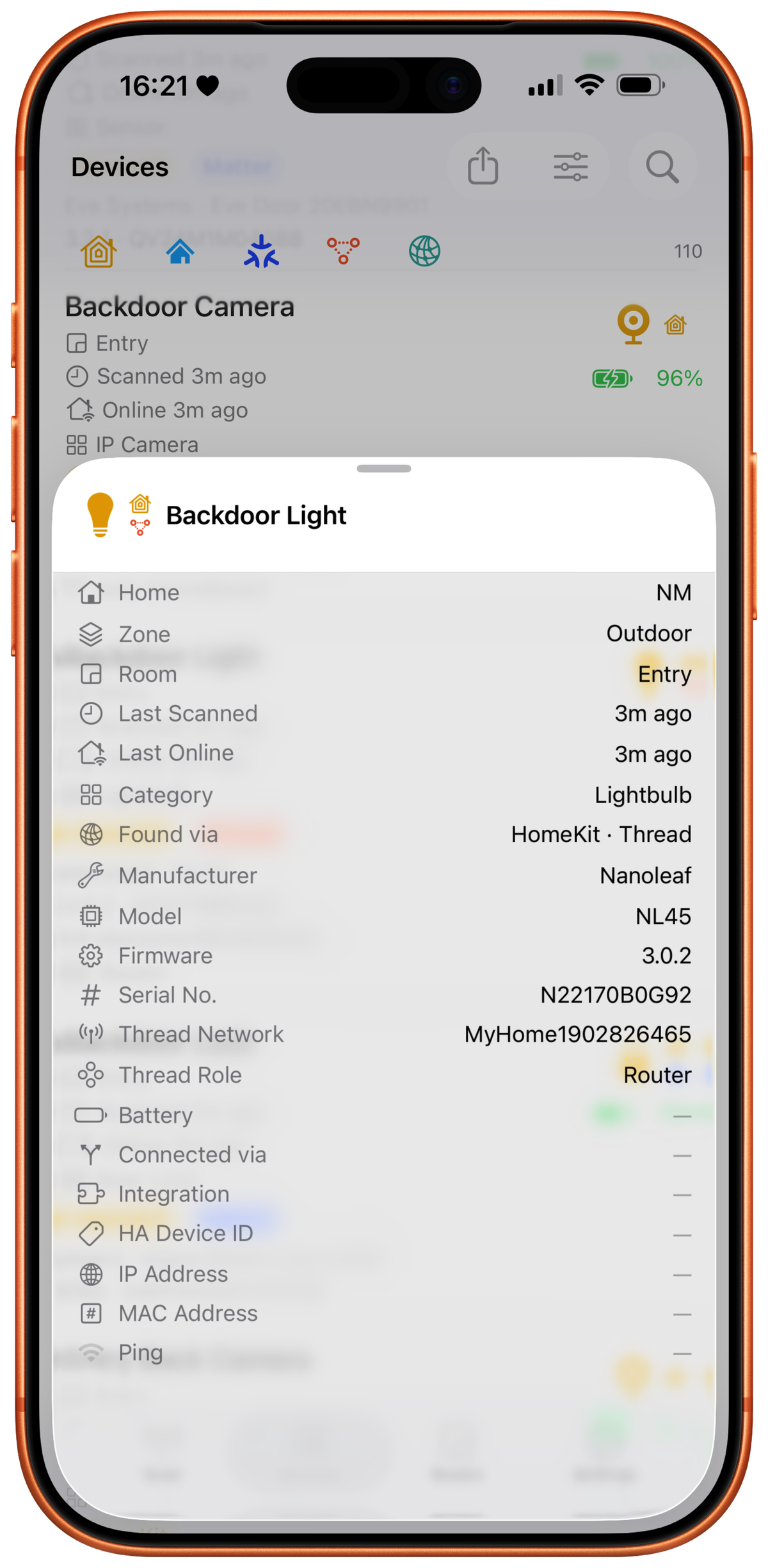
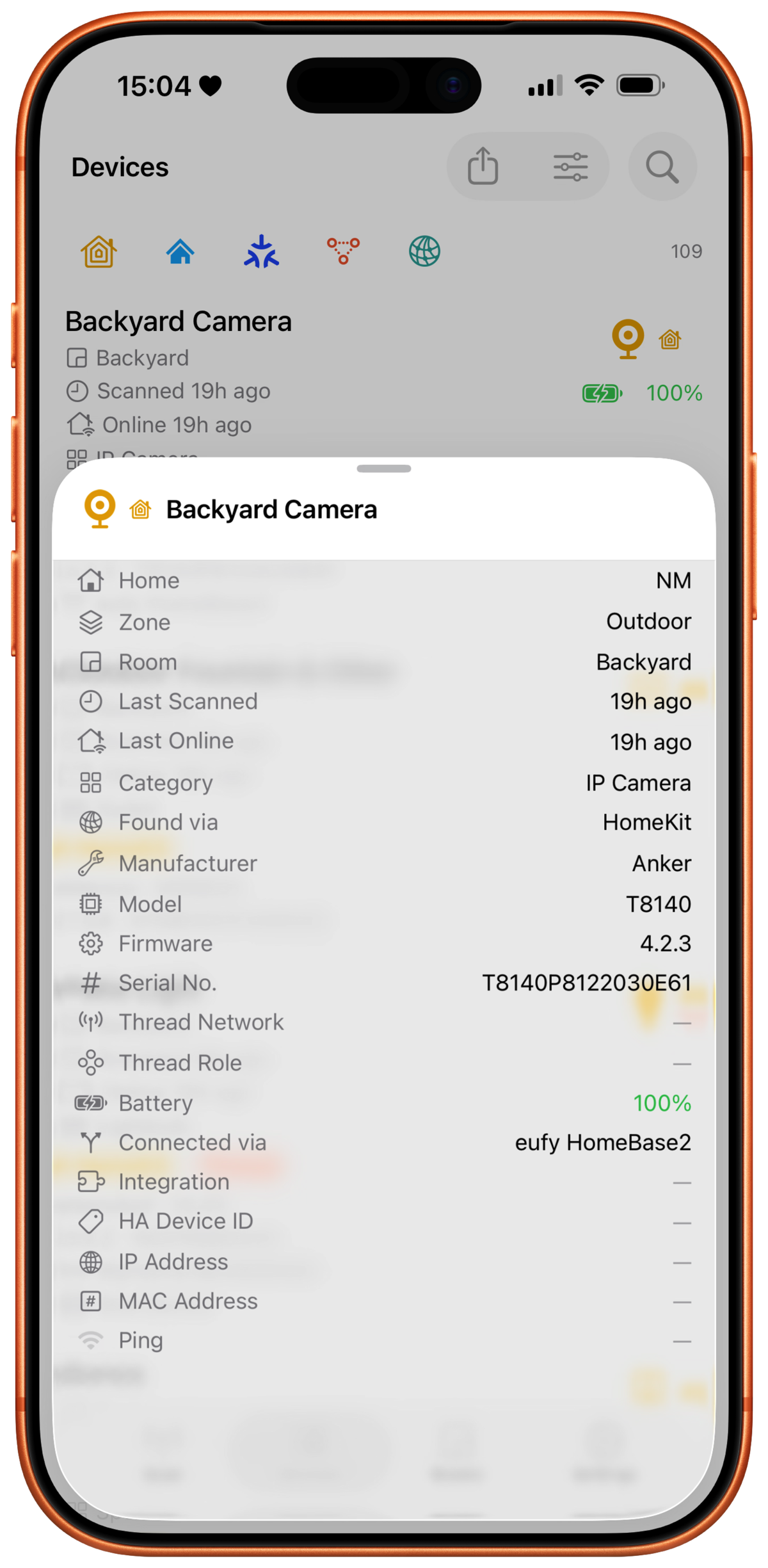
Unlike smart home control apps that show rooms and switches, HomeMapper shows what’s actually on the network: which protocols each device uses, its firmware version, whether it’s reachable, its Thread mesh role, MAC and IP addresses, and serial numbers. When the same physical device appears across multiple protocols, HomeMapper correlates them into a single entry using hardware identifiers (serial numbers, MAC addresses, HAP Pairing IDs), not name matching.
HomeMapper is scan-only by design. It discovers and inventories devices but never controls, modifies, or commissions them. All data stays on-device. There are no accounts, no analytics, no cloud sync, and no ads. The app is free to download with a permanently free HomeKit-only tier. A Pro subscription ($19.99/year, with a $9.99/year launch price and 7-day free trial) unlocks multi-protocol scanning, protocol filtering, the combined “All Homes” view, Home Assistant integration, CSV export, and all 20+ data columns.
Key Facts
| Developer | Vault Hunters NM LLC |
|---|---|
| Platforms | iPhone, iPad, Mac (native) |
| Price | Free / Pro $9.99/year (launch), $19.99/year (regular) |
| Free Trial | 7-day Pro trial |
| App Store | View on App Store |
| Website | homemapper.app |
| Media Contact | Media Contact |
| Release Date | 2026 |
Feature Highlights
- Multi-protocol discovery. Scans HomeKit, Matter, Thread, Bonjour/mDNS, SSDP/UPnP, ICMP, and TCP simultaneously in a single pass.
- Multiple Apple Home support. A toolbar selector switches between HomeKit homes one at a time on Free, or shows all homes combined on Pro. Devices stay scoped to the home they came from.
- Home Assistant integration. OAuth-secured local connection surfaces Zigbee, Z-Wave, ESPHome, and MQTT devices alongside HomeKit in one unified inventory.
- Hardware-based device correlation. Merges the same physical device seen across protocols using seven identifier types (serial number, MAC address, HAP Pairing ID, Cast UUID, SSDP UDN, Matter Node ID, IP address). No fuzzy name matching.
- Thread mesh visibility. Shows mesh roles (Router, Leader, End Device) where reported, Thread network names, and OpenThread versions; detects Thread Border Routers that advertise themselves on the local network.
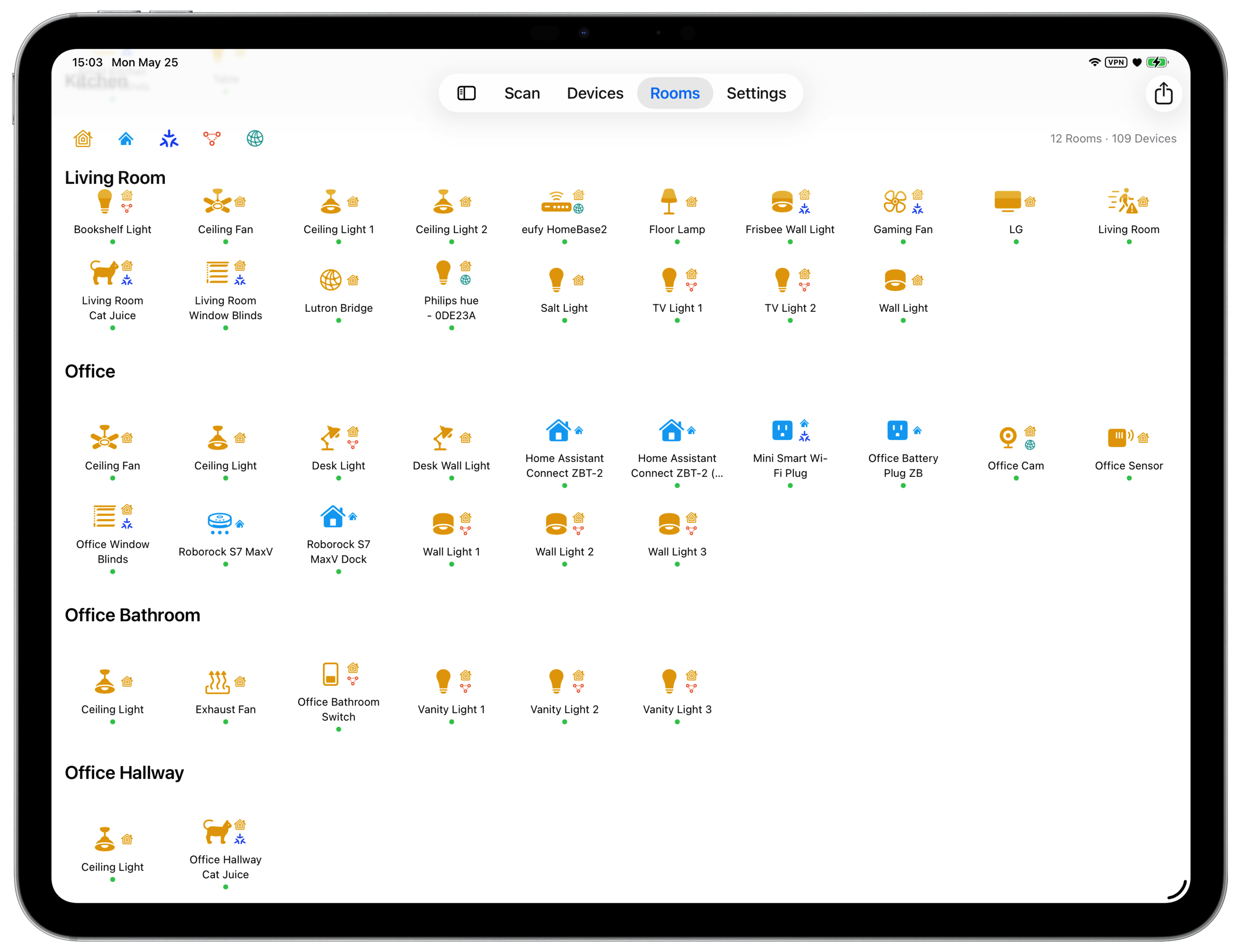
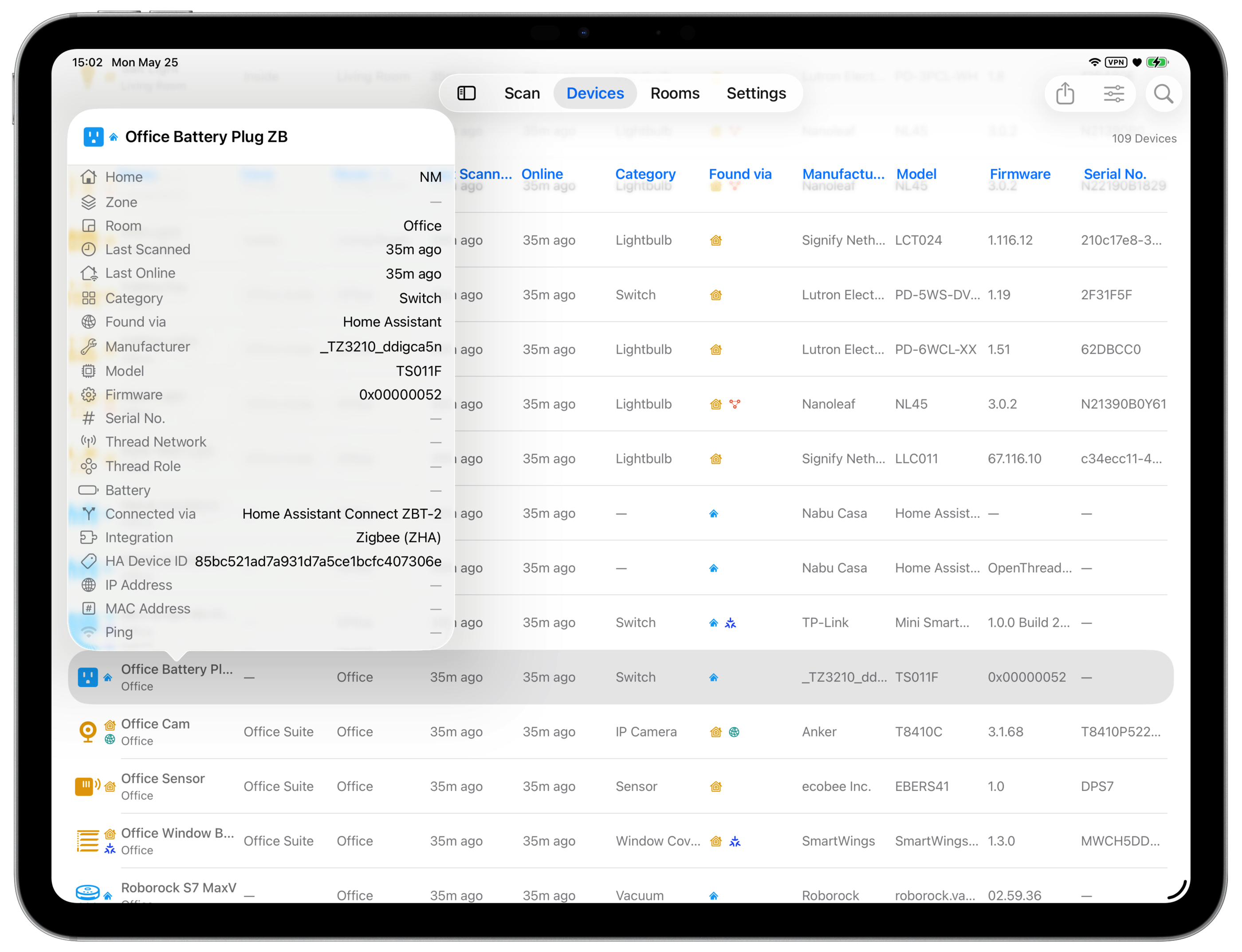
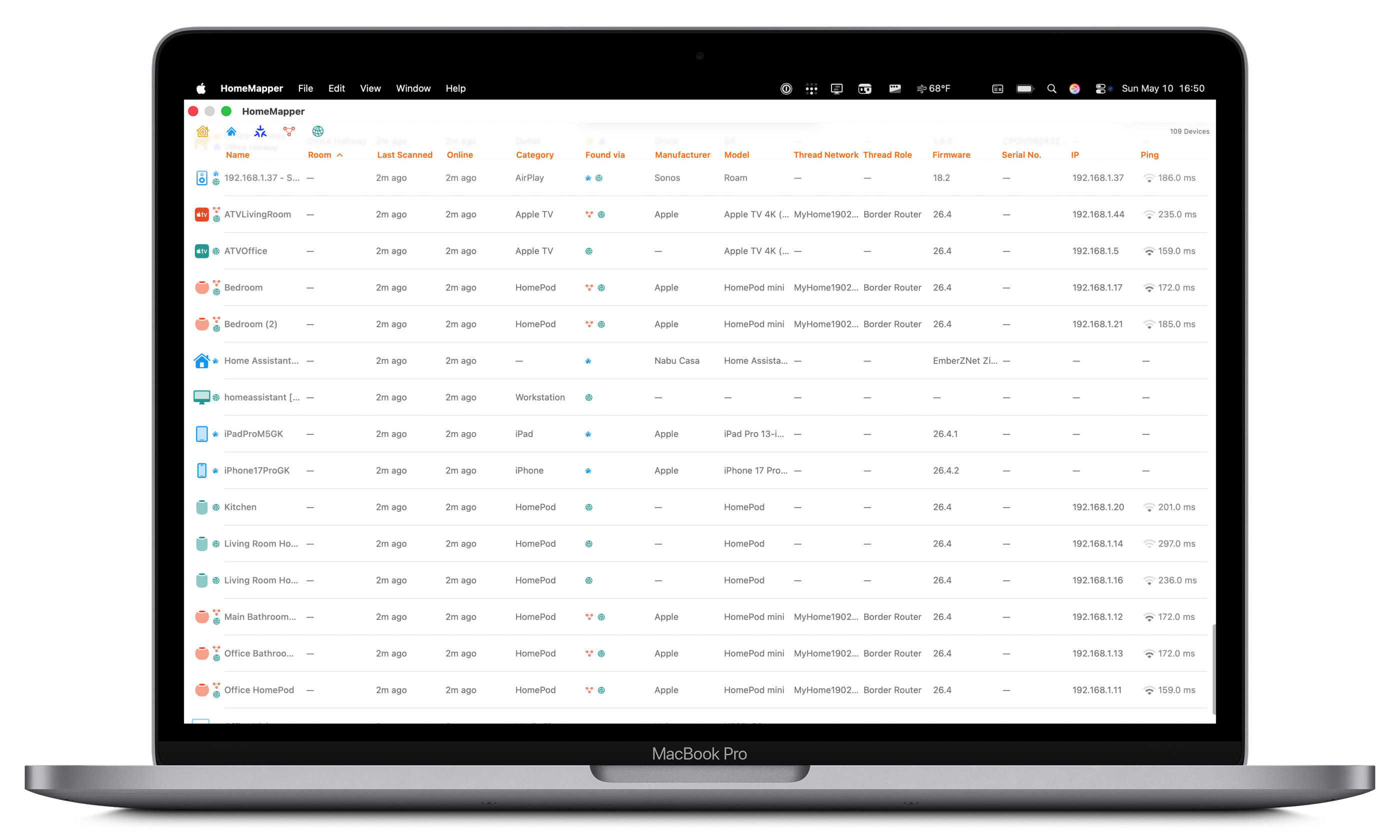
- Adaptive interface. Full spreadsheet with 20+ sortable, searchable columns on iPad and Mac; rich detail cards on iPhone; room-based grouping on all platforms.
- Protocol filtering. Show or hide HomeKit, Home Assistant, Thread, Matter, and IP in the device list and Rooms view. Selections persist across launches.
- CSV export. Full device inventory export for insurance documentation, network planning, or troubleshooting.
- Privacy-first. No account required, no analytics SDK, no cloud sync, no ads. All data stays on-device. The only external connection is Home Assistant, and only if the user chooses to connect it.
Screenshots
Both framed and unframed versions of every screenshot below are in the asset ZIP.
iPhone
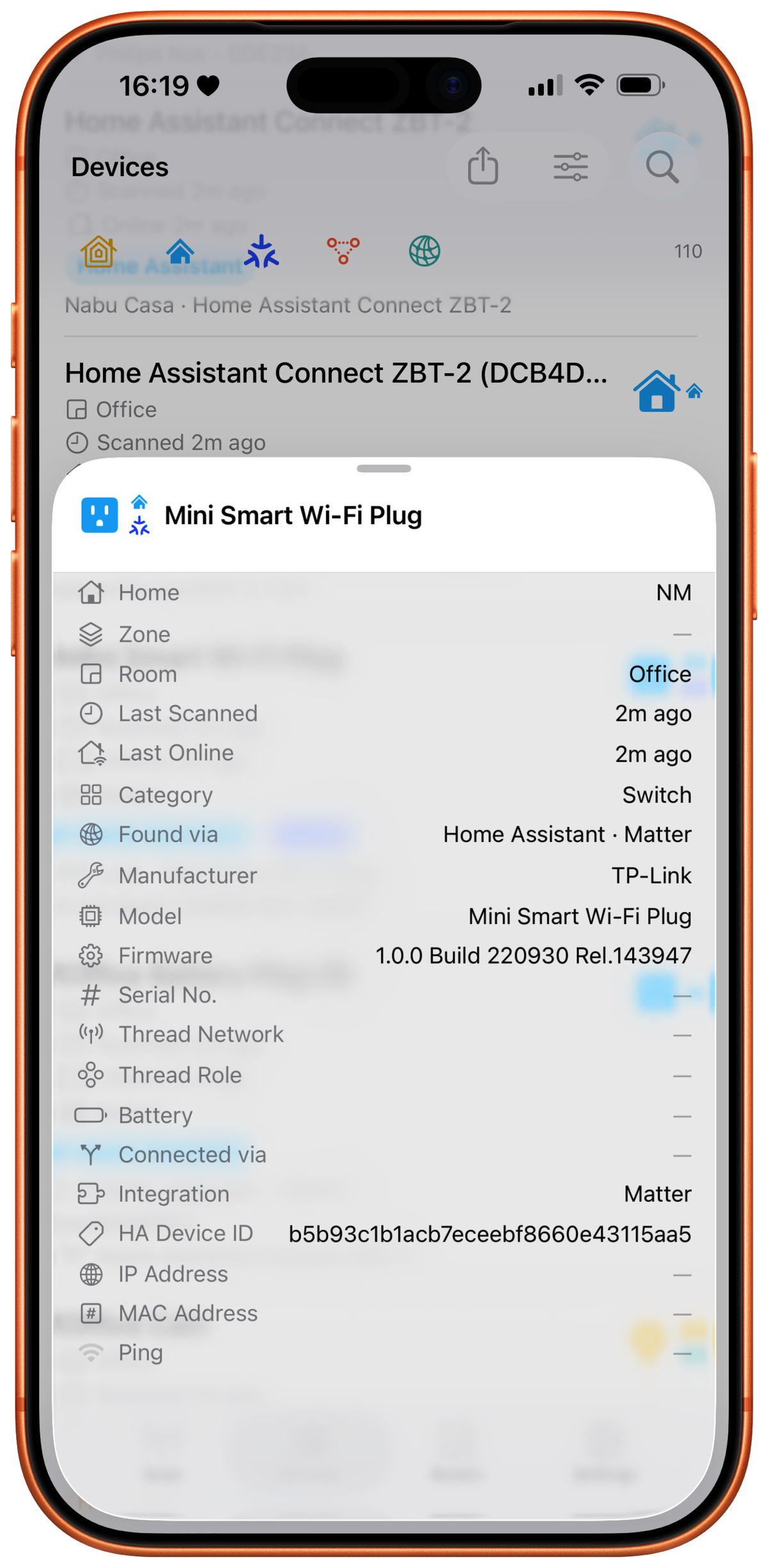
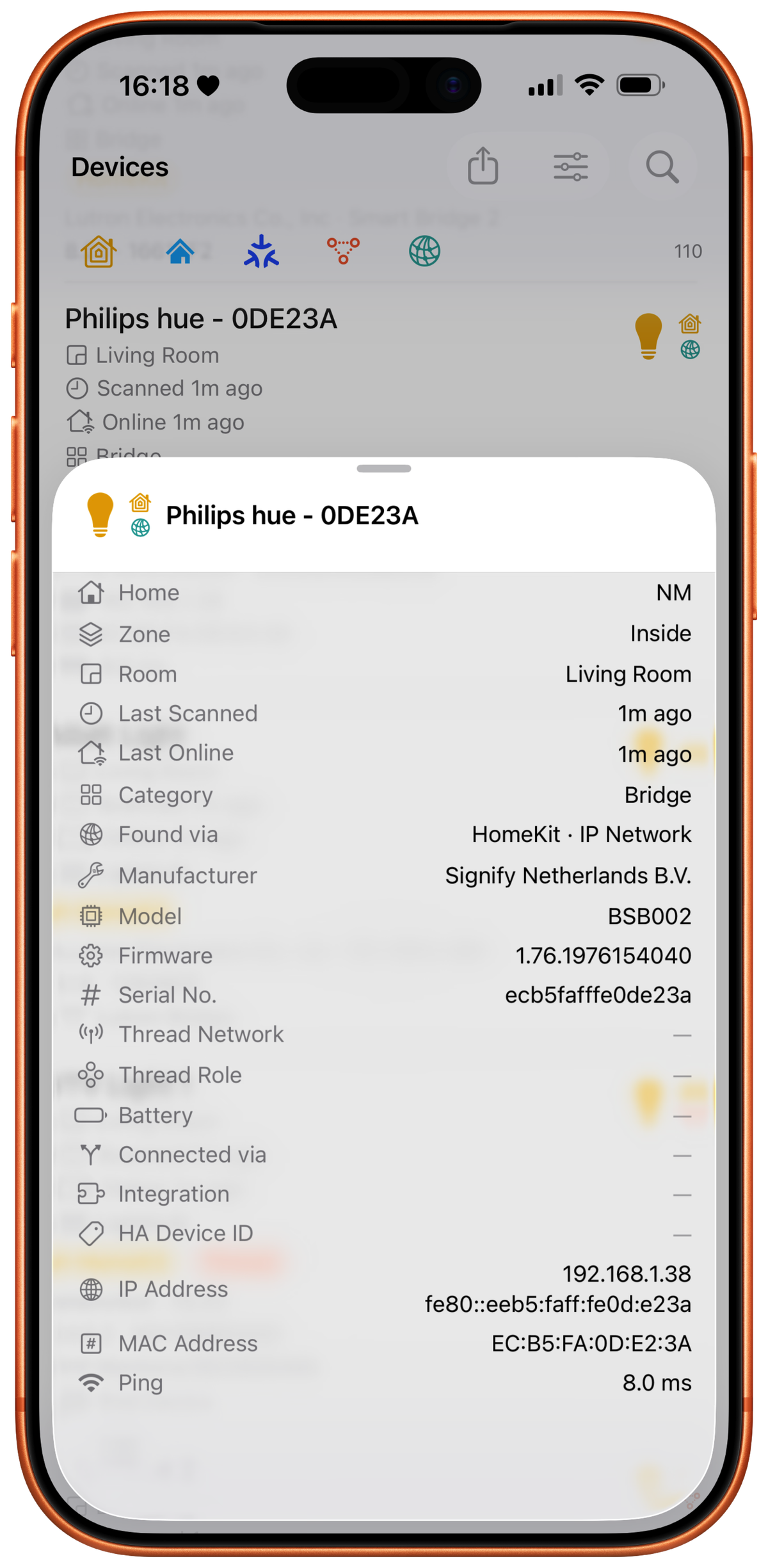
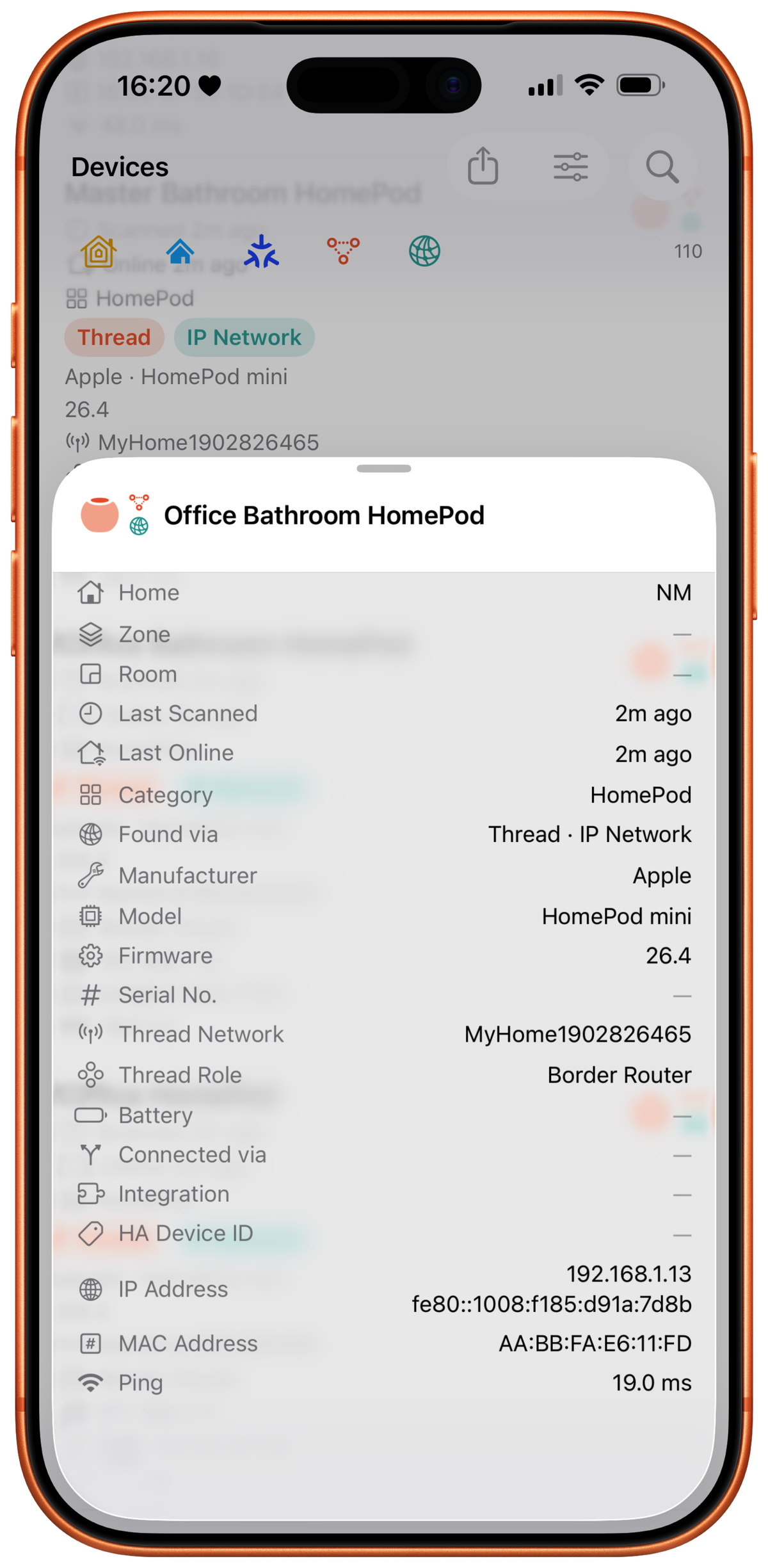
iPad
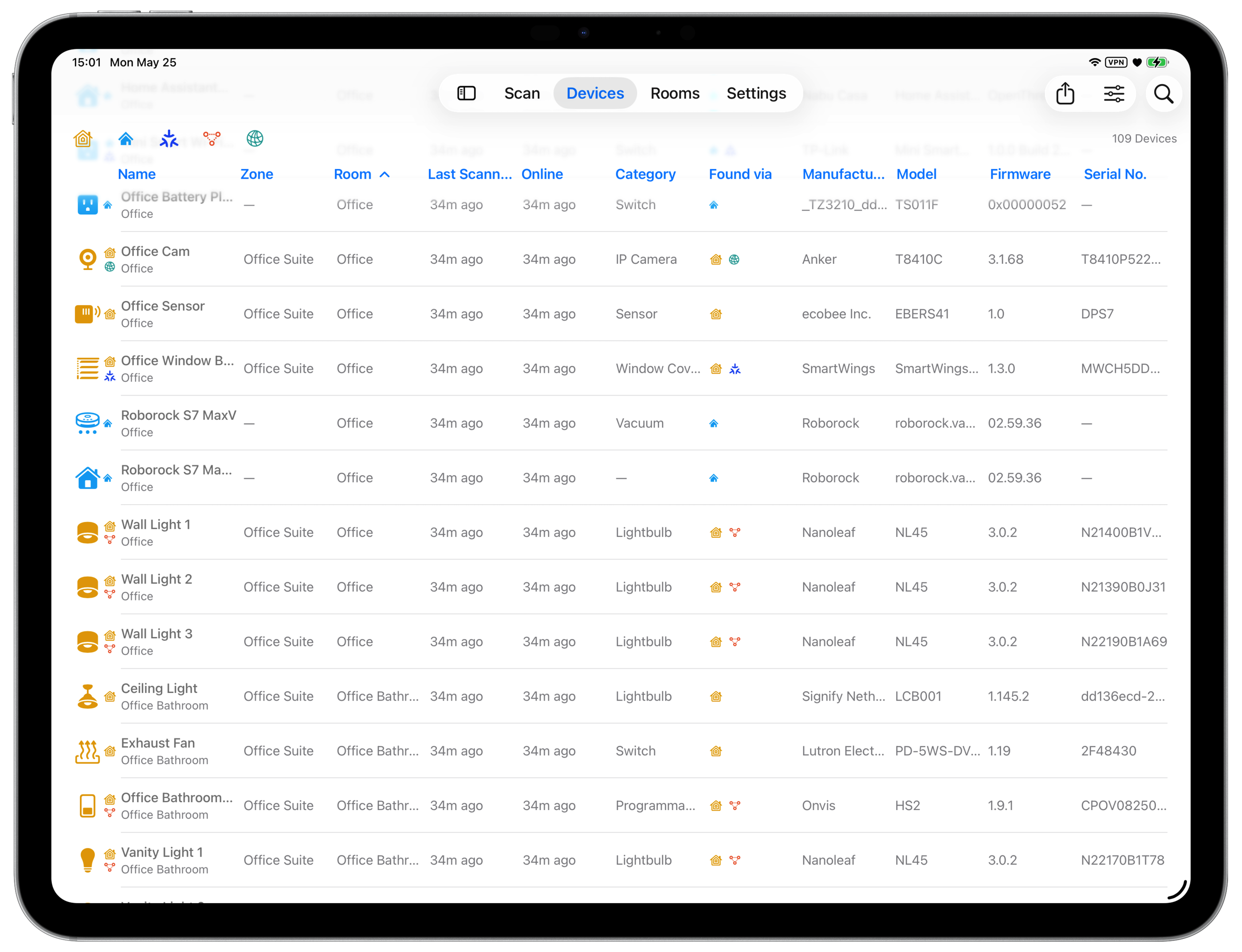
Mac
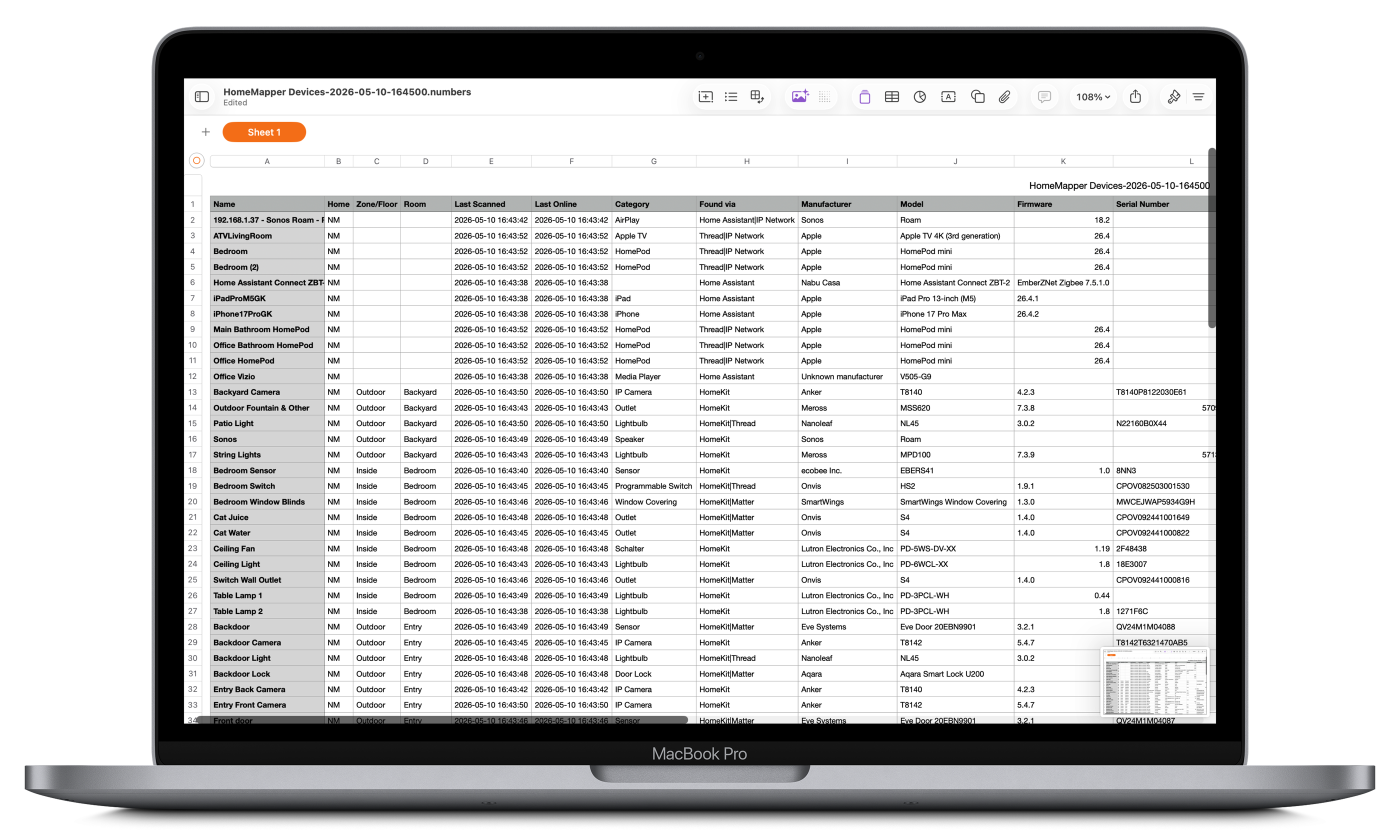
App Icon Assets
Download individual assets below. A bundled ZIP will be available at launch.



Pricing & Availability
| Tier | Price | Includes |
|---|---|---|
| Free | $0, forever | HomeKit scanning, device list with core columns, room-based view, unlimited scans, no time limits |
| Pro | $9.99/year (launch) $19.99/year (regular) |
Everything in Free, plus all 20+ columns, multi-protocol scanning, protocol filtering, combined “All Homes” view, Home Assistant, CSV export |
Pro includes a 7-day free trial. No ads in either tier.
Available in every region of the Apple App Store.
About the Developer
Vault Hunters NM LLC is an independent software company based in New Mexico, focused on building tools for smart home infrastructure. HomeMapper is the company’s flagship product.
Technical Background
For technically-minded reviewers. These sections provide deeper context on how HomeMapper works.
Discovery Protocols
HomeMapper scans local networks using five protocol layers, each revealing different information about the same devices. Running them concurrently and correlating the results produces a unified view that no single protocol can provide alone.
HomeKit
Apple’s smart home framework. HomeMapper sees everything the Home app sees: device names, rooms, categories, reachability status, and battery levels. HomeKit is also how Matter capability is detected. Matter metadata surfaces during the HomeKit scan, not through a separate scan phase.
Home Assistant
An open-source home automation platform. HomeMapper connects via OAuth2 over the local network and fetches the full device registry, surfacing Zigbee, Z-Wave, ESPHome, and MQTT devices that are invisible to Apple’s ecosystem. Devices from both HomeKit and Home Assistant flow into one inventory, correlated by hardware identifiers where possible.
HomeMapper currently scans one Home Assistant instance per home network. Multi-instance support is planned.
Thread
A mesh networking protocol where devices relay data for each other. HomeMapper identifies Thread mesh roles (Router, Leader, End Device), Border Routers, network names, and OpenThread versions. This data comes from the HomeKit Thread Management Service (mesh roles) and MeshCoP Bonjour discovery (network names and Border Router detection). Apple does not expose Thread mesh internals through standard APIs.
IP Network
The broadest discovery layer, combining several network-level techniques: Bonjour/mDNS service browsing (HAP, AirPlay, GoogleCast, printers, and more via dynamic enumeration), ICMP subnet scanning with TCP connection probes, ARP-based MAC harvesting (Mac only), and SSDP/UPnP discovery for routers and media servers. IP Network often surfaces devices and identifiers that HomeKit abstracts away.
Device Correlation Pipeline
A single physical device can appear across multiple protocol results simultaneously: as a HomeKit accessory, a Home Assistant entity, a Thread router, and an IP Network service. The correlation pipeline merges these into one unified device entry using a prioritized chain of hardware and protocol-level identifiers.
The system favors precision over convenience: two devices will not be merged unless they share a definitive identifier. HomeMapper would rather show a duplicate than incorrectly combine two different devices.
Thread Mesh Roles
Thread is a mesh networking protocol where devices relay data for each other, forming a self-healing network that improves as devices are added. Every Thread device has a role determining how it participates in the mesh.
- Leader. One per Thread network, manages routing tables and address assignment. If the Leader goes offline, another Router is automatically elected. Typical Leaders: Apple TV, HomePod mini.
- Router. The backbone of the mesh. Forwards data packets, serves as parents for End Devices, and can become Leader. Any mains-powered Thread device can become a Router. Typical: HomePod mini, Apple TV, Nanoleaf bulbs, Eve Energy.
- End Device. Typically battery-powered. Connects to a single Router parent, sleeps to conserve battery, does not forward data. Typical: Eve Door & Window, Eve Motion, Eve Weather.
- Border Router. Bridges Thread mesh and Wi-Fi/Ethernet. Without a Border Router, Thread devices can communicate with each other but not with non-Thread devices. A device can be a Router and Border Router simultaneously. Typical: Apple TV, HomePod mini.
- Disabled. Thread hardware is present but not currently active; the device isn't participating in any Thread network.
- Detached. Supports Thread but isn't currently connected to a mesh, often because no Border Router is in range, after a reboot, or from stale credentials.
HomeMapper identifies roles via HomeKit Thread Management Service and detects Border Routers via MeshCoP Bonjour discovery. Apple does not provide APIs for Thread mesh internals (routing paths, signal strength between devices), so the role and network membership data shown is the deepest visibility available without commissioning.
Privacy Architecture
HomeMapper stores all scan data in a local SQLite database on the user’s device. No data is transmitted to any server. There is no account creation, no analytics SDK, no advertising, and no tracking of any kind.
The only external connection HomeMapper makes is to a user’s local Home Assistant instance, and only if the user explicitly chooses to connect it. This connection uses OAuth2 authentication through a secure system browser sheet (the same mechanism used by Sign in with Apple). HomeMapper never sees or stores the user’s Home Assistant password. OAuth tokens are stored exclusively in the iOS Keychain (encrypted, hardware-backed) and are never written to the app’s database, preferences, or diagnostic logs.
Diagnostic logging is entirely voluntary. If a user chooses to send logs, they are composed in the device’s email app, giving full visibility and edit control before sending. Logs may contain device names and types but never credentials or tokens.
CSV export is the user’s action. Nothing leaves the device unless the user sends it. All features operate over the local network with no cloud relay.